20/10/2026 23:47
Can Viewers Answer Before You Wrap? YouTube Live Latency for Cambodian Bouquet Shops

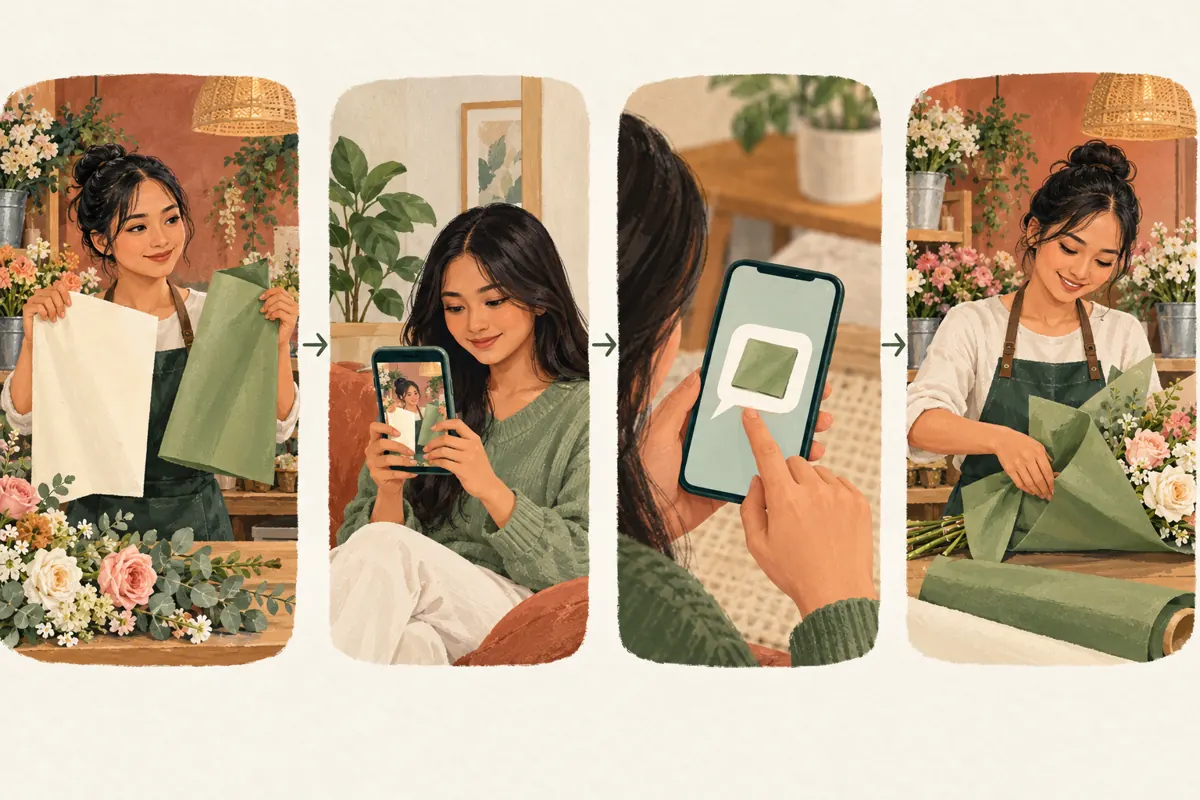
A florist holds up two wrapping papers, asks viewers to choose, and starts folding before their answers arrive. The broadcast looks busy, but the interaction has failed. For a Cambodian bouquet shop, this can turn an appealing demonstration into confusion about which arrangement a customer requested. A useful live promotion needs room for the question to reach viewers, for them to respond, and for staff to acknowledge the choice. This workflow combines YouTube’s latency settings with practical rehearsal and confirmation habits. It also explains why an SMM-panel engagement service cannot repair a conversation that moves too quickly.
Start with the decision viewers will actually influence
Define one decision before planning the broadcast. Will viewers choose the wrapping for a demonstration bouquet, ask about flower substitutions, or discuss an arrangement they might order? Those activities need different handling. A public preference can guide a sample. A customer’s purchase needs a separate confirmation of the arrangement, price and collection or delivery details.
Consider a hypothetical Phnom Penh flower shop showing a graduation bouquet. The florist wants viewers to compare green and cream wrapping. The useful outcome is a clear explanation of both options followed by an acknowledged choice. Write that outcome on the run sheet. Avoid combining wrapping, ribbon, flower count and delivery questions into one hurried request. When several decisions overlap, even a promptly arriving answer such as “the green one” may be impossible to interpret.
Choose a latency mode that matches the format
YouTube defines stream latency as the delay between camera capture and viewer playback. Its guidance positions Normal latency for non-interactive broadcasts, Low for limited interaction, and Ultra-low for conversational streams. Lower latency can increase buffering. Low and Ultra-low do not support 4K. For an encoder stream, open YouTube Studio, select Create, Go live, then Stream or Manage. In Stream Settings, find Stream latency. These distinctions come from [YouTube’s live latency guidance](https://support.google.com/youtube/answer/7444635?hl=en).
For the hypothetical bouquet demonstration, first decide whether audience answers must change the florist’s next action. If they must, rehearse an interactive setup. If the host simply demonstrates three wrapping techniques and answers questions afterward, plan around that format. Choose the setup that supports the actual demonstration. Do not make immediate audience participation the central promise until a rehearsal shows that the team can handle it comfortably.
Rehearse from a viewer’s position
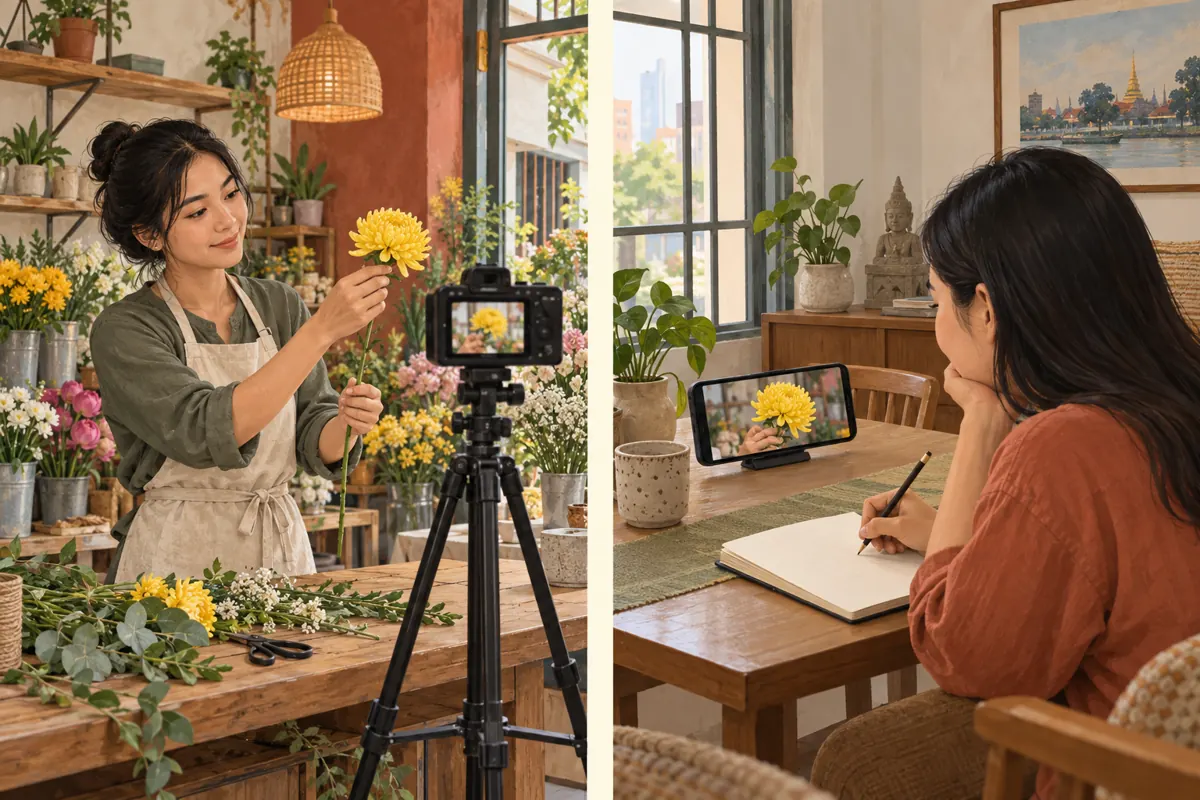
Arrange a test with a helper who watches through the viewer-facing stream rather than the production preview. Choose the test’s visibility deliberately and use sample materials without customer information. Ask the helper to watch from another room or location so they cannot answer by hearing the presenter directly. Their task is to respond only to what reaches the screen.
Lift one distinctive flower, ask a simple question, and have the helper reply in chat. Record when the presenter asks, when the helper sees the question, and when the presenter notices the answer. Repeat with the actual wrapping papers and ordinary hand movements. YouTube recommends testing audio and movement similar to the planned broadcast and monitoring stream health during the event. See its [encoder guidance](https://support.google.com/youtube/answer/2853702?hl=en-See). Treat the rehearsal as a practical observation under those conditions, not a promise about every viewer’s experience.
Separate playback delay from the time people need
The business question is broader than how quickly a picture appears. A viewer must understand the question, compare the materials, decide, type and send. Someone at the shop must then notice the answer. Record these stages separately where practical. Otherwise, staff may try to solve a confusing question by changing technical settings.
In a hypothetical rehearsal, the helper might see the wrapping clearly but hesitate because the florist says “this one” while moving both sheets. That calls for clearer wording and steadier presentation. Another helper might answer promptly, while the host misses the message because their hands are occupied. That calls for a reading pause or assistance. Ask the helper what made answering difficult before adjusting equipment. This simple conversation can reveal whether the next improvement belongs in the script, the staffing plan or the stream setup.
Build a deliberate checkpoint before wrapping
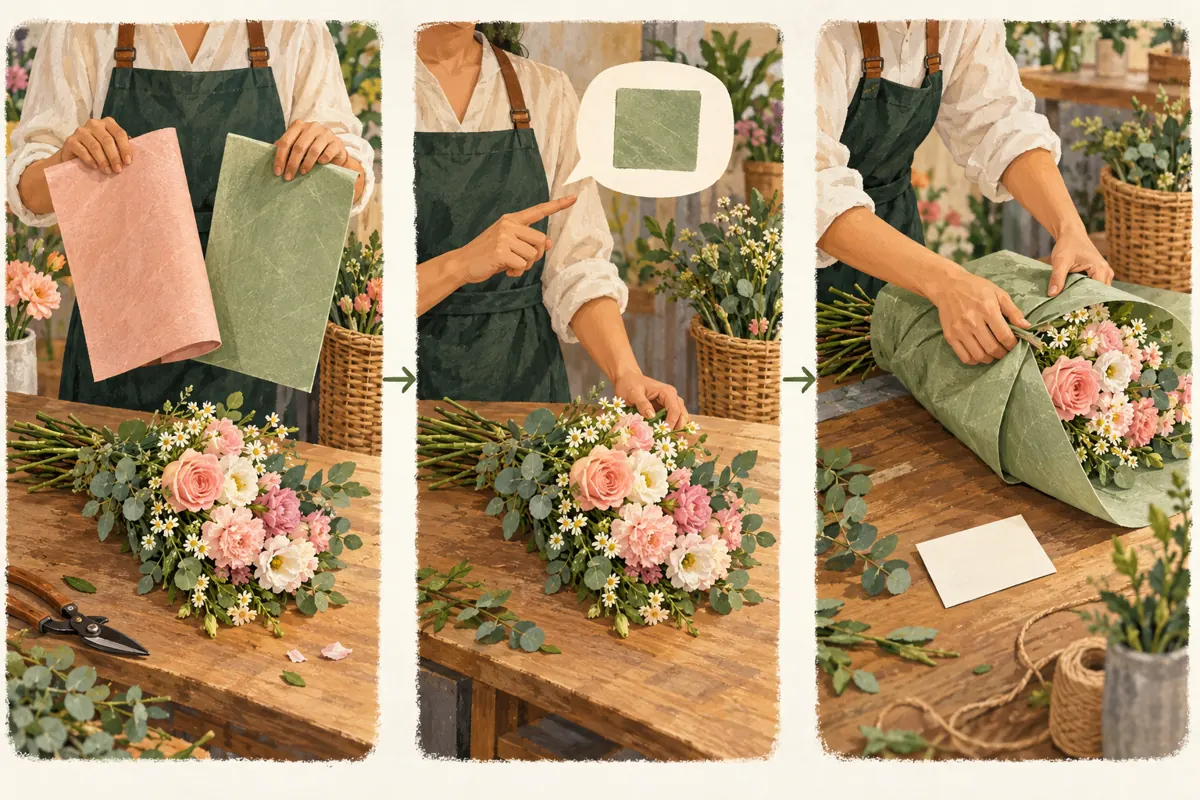
Use a repeatable sequence: show the options, name them, ask one question, wait, read back the answer, then act. Keep both papers visible while waiting. Describe a relevant difference, such as how each frames the flowers, without introducing another choice. The waiting period can still teach viewers something useful.
For example, the host could say, “For this sample, would you choose green wrapping or cream wrapping? I will keep both here while the replies arrive.” After reviewing the responses, explain which option will be used and why. If the bouquet belongs to a particular buyer, identify whose confirmation is required through the shop’s agreed order process.
Do not interpret silence as consent. Set a fallback before starting: an unanswered demonstration choice can use the presenter’s stated preference; an unanswered customer choice remains pending. This keeps the programme moving without converting uncertainty into an order instruction.
Make Cambodian ordering details easy to distinguish
Use the language your intended customers understand during the demonstration. If the presenter switches between Khmer and English colour names, keep each option’s identity consistent. A simple sample code can help staff connect the live discussion to a later enquiry. Explain the code aloud and show it clearly rather than relying on a fleeting reference.
Keep commercial details outside the wrapping vote. A viewer choosing cream paper has not agreed to a delivery charge, a substitution or a collection time. When quoting a price, state the currency and what is included. When discussing pickup, name the actual shop location and the relevant date. A customer arranging a gift from outside Cambodia may need the time zone stated explicitly.
Use demonstration cards without real recipients’ names or addresses. Move personal delivery instructions into the shop’s established private ordering conversation, where staff can check them without broadcasting them.
Give the helper a narrow, useful job
A helper should connect each relevant reply to the question currently being discussed. Prepare a small working note with the sample identifier, current choice, answer received and whether the host has acknowledged it. This is particularly useful when a late message refers to the previous bouquet.
Agree on a quiet signal meaning “a relevant answer is waiting.” The helper should not interrupt every explanation or treat every reaction as an instruction. They can group similar general questions for the next pause while drawing attention to a customer clarification that affects the work on the bench.
A solo florist can use the same principle by placing tools down at planned reading points. Avoid checking messages while cutting ribbon or securing stems. If the arrangement requires continuous attention, finish that step and then reopen the conversation with a fresh summary of the available choices.
Evaluate SMM services against the actual problem
The supplied catalogue includes “Youtube - Live Stream Reaction [ Random ❤️😃🎉😳💯 ] ~ [ 𝔅𝗲𝙨𝘁 - 𝐒𝐩𝐞𝐞𝐝, 𝐐𝐮𝐚𝐥𝐢𝐭𝐲 ]”. Its name identifies a live-stream reaction offering, but the brief supplies no supporting description. The wording does not establish how reactions are generated, who produces them or whether those people are Cambodian customers. It provides no basis for claiming technical improvements to a broadcast.
Purchased engagement is not evidence of genuine interest, sales, ad delivery or Cambodian users. A reaction also cannot confirm wrapping, reserve a bouquet or demonstrate that viewers received a question in time. Do not order reactions as a remedy for delayed answers or describe them as customer approval.
YouTube prohibits artificial increases in engagement metrics and says hired promoters’ actions can affect a channel. Review its [fake engagement policy](https://support.google.com/youtube/answer/3399767?hl=en) before considering any service. If the proposed method artificially inflates engagement, exclude it. For this problem, rehearsal, clear questions and reliable acknowledgement directly address the missing steps.
Prepare a fallback for an awkward live session
If replies arrive after the florist has moved on, pause the choice sequence. Restate the sample identifier and the decision still open. Explain whether earlier suggestions can still be used. Avoid pretending that a late answer influenced work already completed.
If conversation becomes impractical, turn the remaining session into a demonstration and collect questions for a later response. Tell viewers about that change. Keep the order enquiry route available so someone interested in the bouquet can continue without racing the broadcast.
For the hypothetical graduation arrangement, the host could finish the display sample using the announced default wrapping while leaving a buyer’s requested version unconfirmed. Afterwards, send that buyer a clear summary through the normal order channel. Do not repeatedly restart the broadcast simply because the chat is quiet; first establish whether anyone is trying to answer and what is preventing a useful exchange.
Promote the interaction you can reliably deliver
Write the invitation around the subject: a comparison of wrapping styles, a bouquet preparation demonstration or a question session about available options. Include the planned date, Cambodia time and a realistic description of participation. Avoid promising that every viewer will receive an immediate personalised consultation.
Use a short preview showing the actual materials. A prospective customer should understand what they will learn even if they never type a message. If staff can answer only at designated pauses, say that at the beginning of the stream.
For a small shop, a manageable session can be more useful than an ambitious format that requires constant reading while making several arrangements. Choose one bouquet, a few meaningful choices and a clear next step for enquiries. Promotion should bring people to an experience the shop is prepared to deliver.
Review the missed decisions, then improve one thing
After the broadcast, examine the moments when an answer was needed. Did viewers understand the options? Did the host acknowledge relevant replies before acting? Were customer choices transferred accurately into the order conversation? Record specific examples without turning them into claims about all viewers.
Keep technical observations, audience questions and confirmed business outcomes separate. A question about cream wrapping is useful feedback; it becomes an order only through the shop’s confirmation process. Panel delivery records, if any exist, belong in their own record and cannot explain customer intent.
Choose one change for the next rehearsal: clearer option names, a longer decision pause, an earlier helper signal or a different tested stream configuration. Preserve the working parts of the session. Changing everything at once makes it harder to learn which adjustment resolved the original problem.
Frequently asked questions
Why can’t I find a latency selector when streaming from my phone?
YouTube says mobile and webcam streaming are configured for interactivity and do not offer a selectable latency setting. Follow the controls for your actual streaming method. You can still improve the session by rehearsing questions, holding options steady and pausing to acknowledge answers.
How long should the florist wait after asking a question?
Use the rehearsal to establish a workable pause rather than applying a universal countdown. Allow time for someone to understand, decide and type. If no answer arrives, explain the planned fallback. For an individual order, keep the choice pending until the customer confirms it through the agreed process.
Should a heart reaction count as choosing the wrapping shown?
No. A heart could express appreciation for the flowers, the presentation or something said earlier. Ask for an explicit option name when the choice matters. Purchased reactions provide no reliable evidence of an individual customer’s preference and should never be converted into order instructions.
Can a solo shop owner run this format?
Yes, if the demonstration leaves deliberate reading breaks. Prepare the materials within reach, ask one question at a time and stop handling tools before reviewing replies. If reading interrupts the work too often, demonstrate first and answer questions afterward. Do not promise a level of individual attention you cannot maintain.
What if viewers disagree about which wrapping looks best?
For a demonstration, explain that opinions can differ and show why you selected one option. You could display the alternative beside the finished bouquet for comparison. For a purchased arrangement, the buyer’s confirmed instruction governs the work; public preferences do not override it.
Explore the current service catalogue, create an account, or ask a specific question through support tickets.
- YouTube Help: Understand live streaming latency
- YouTube Help: Choose live encoder settings, bitrates, and resolutions
- YouTube Help: Fake engagement policy
Prepared with AI assistance. Illustrations explain the workflow and do not represent customer results.