22/10/2026 01:03
Scan to the Loading Step: YouTube Timestamp Cards for Cambodian Label-Printer Shops
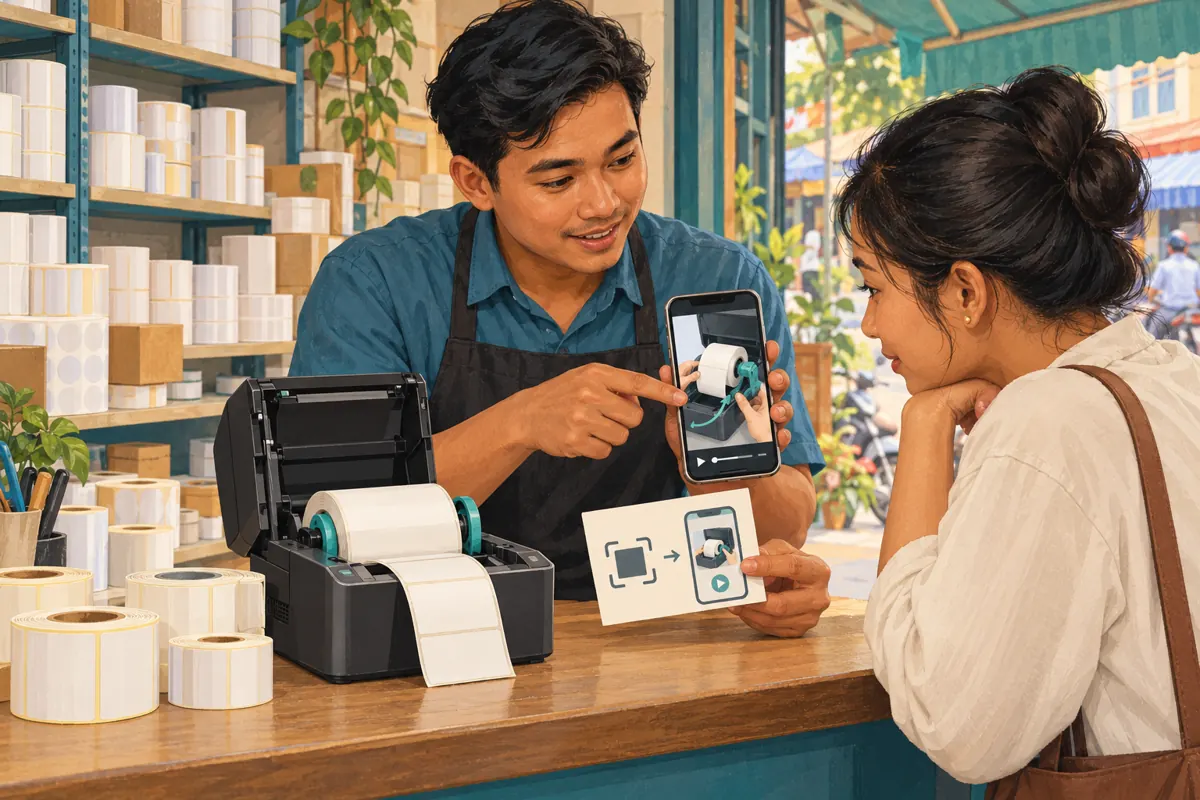
A customer who needs help loading a label roll should not have to search through a shop introduction, packaging tour and sales pitch first. For Cambodian label-printer suppliers, a printed instruction card can connect the product on the counter with a useful moment in a YouTube demonstration. The challenge is choosing a starting point that preserves essential context, then keeping the printed card matched to the correct machine. This workflow also gives SMM panel customers a practical decision rule: improve the route to useful information before considering promotional spending, and never treat purchased engagement as proof that customers understood the demonstration.
1. Define the question the card should answer
Consider a hypothetical Phnom Penh stationery supplier selling compact label printers to small retailers. Customers repeatedly ask which direction the roll should face. The shop already has a longer demonstration covering unpacking, loading and basic operation. Its instruction card should answer the loading question immediately while still making the printer model and preparation requirements clear. This scenario is illustrative, not a customer case study or a claim about typical results.
Write a single purpose statement before choosing a link: help an owner of this model identify and load the compatible roll shown in the demonstration. That statement excludes unrelated goals such as collecting followers or advertising every item in the shop. Decide who needs the card: a first-time buyer, an experienced operator changing supplies, or a customer comparing machines. Each may need a different amount of explanation before the loading step.
2. Match the demonstration to the physical product
Place the actual printer beside the video during review. Compare its model identifier, opening mechanism, roll holder and relevant controls with what appears on screen. Similar-looking housings are not enough to establish compatibility. Have someone familiar with the manufacturer's instructions check the demonstrated procedure. An attractive video should not become the shop's reference merely because it has better lighting than the technically correct one.
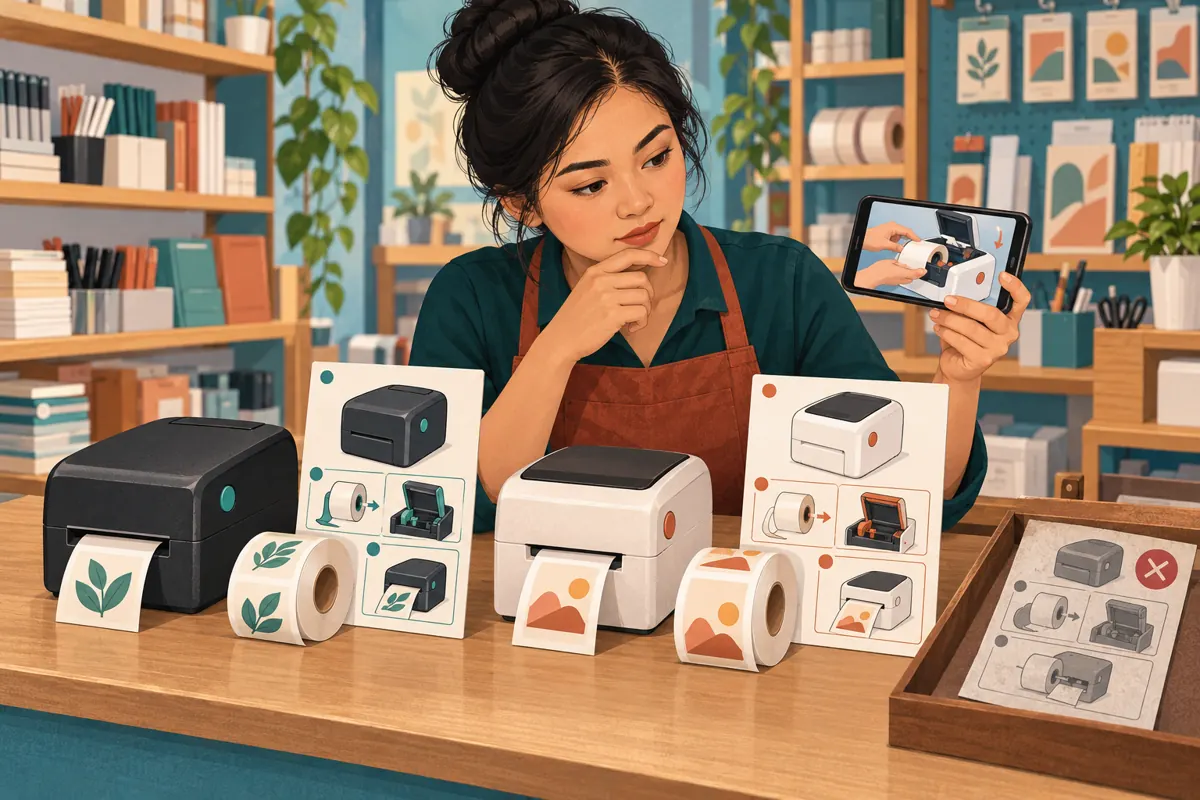
In the hypothetical shop, two printers might accept different roll arrangements despite looking similar from the front. Give each its own clearly identified card unless the same demonstration genuinely covers both. Show the model designation on the card and in the video introduction. Explain any supported compatibility conditions in the customer's language. For Khmer-speaking customers, ask a fluent reviewer to check the instructions rather than relying on an English model name to carry the whole explanation.
3. Choose a starting point that preserves preparation
Watch the proposed segment without the earlier footage. Can a newcomer identify the machine, understand the required preparation and follow the next action? If the presenter says “put it in this way” while referring to something previously explained, move the starting point earlier. The most useful entry point is often the beginning of a complete explanation rather than the first close-up of moving hands.
For example, in the hypothetical demonstration, roll insertion could begin at 2:10 while model identification and preparation begin at 1:45. Those times are illustrative. Starting at 1:45 may be more helpful even though it adds viewing time. Keep manufacturer-required precautions before the relevant action. If no point in the existing video provides enough context, record a short, complete demonstration instead of expecting a timestamp to repair an incomplete explanation.
4. Create and record the YouTube timestamp link
YouTube's official computer sharing instructions describe a Start at option. Open the video, select Share, enable Start at and enter the intended time before copying the link. Use that generated link as your working reference. Record the video title, model, chosen starting time and the question it answers together, so another staff member can understand why this particular link was approved.
Test the copied link in a fresh viewing session before sending it to a designer. Check both the video identity and the point where playback begins. Keep a separate ordinary video link for customers who need the full introduction. Avoid manually shortening or rebuilding the address during handover. A tiny change that removes the intended starting point can leave a perfectly readable card directing people to the wrong part of an otherwise correct video.
5. Turn the approved link into a useful printed card
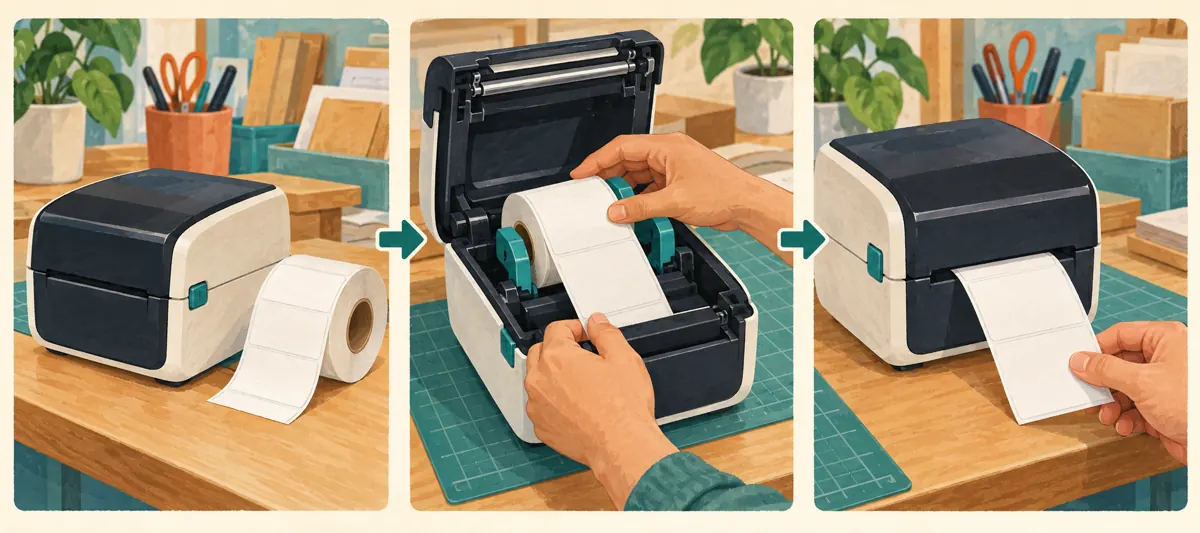
Give the approved timestamp link to whoever prepares the QR artwork and ask for a print proof. This is a separate production step from YouTube's Start at feature. The card should state the printer model, the task shown and where customers can ask for help. Add a small product photograph if it makes matching easier. Keep promotional slogans secondary to the practical instruction.
For Cambodian shops serving different language groups, choose wording based on the customers receiving that batch. A Khmer instruction card can retain the genuine model designation while explaining the task in Khmer. Do not assume a scannable symbol explains its destination. Also provide a readable fallback, such as the channel and exact video title. The illustrations accompanying this article are conceptual artwork; their decorative scan symbols are not usable QR codes or manufacturer instructions.
6. Test the paper, phone and viewing experience together
Approve the physical proof, not just the design file. Place it where customers will encounter it, such as beside the demonstration machine or inside the product package. Scan it using more than one available phone and inspect the destination. Check whether the model remains identifiable at the printed size and whether lighting, reflections or folds make the card difficult to use.
Ask a colleague who did not prepare the video to follow the route without coaching. Have them describe what the card promises and what the opening footage tells them. Test the link outside the owner's signed-in account as well. Record failures precisely: scanning failed, the wrong video opened, the starting point was unsuitable, or the instructions were unclear. These are different problems requiring different fixes. Hold the larger print batch until the actual customer route works.
7. Connect the support resource to honest social promotion
The same demonstration can support a useful social post. Show the printer model and explain the specific question the video answers. Invite viewers to check their own model before following it. A hypothetical caption brief might promise a roll-loading walkthrough for the pictured machine and ask customers with another model to request the appropriate guide. It should not suggest that the procedure works for every printer.
Make the enquiry step concrete: ask for the model designation and a description of the difficulty. Request photographs privately when labels or documents could reveal customer information. Keep sales conditions separate from operating instructions so an old promotional offer does not become part of a long-lived support card. Staff can share the approved timestamp link in relevant conversations, while the public post introduces the resource to people who may find it useful.

8. Apply a clear boundary to SMM panel decisions
One public catalogue entry is named “YouTube Like ~ Max 50k ~ 50k/days ~ Instant ~ 𝗥𝗘𝗙𝗜𝗟𝗟 30D”. The title identifies a YouTube like service, but the supplied entry has no accompanying description substantiating its delivery terms. Treat those words as a listing label, not verified performance. Nothing in that entry establishes Cambodian viewers, compatible-printer owners, genuine interest or successful customer instruction.
YouTube's fake engagement policy prohibits artificially increasing engagement metrics and warns that a hired promoter's actions can affect a channel. Reject a proposed method that depends on artificial engagement. A timestamp card does not require an SMM purchase, and purchased engagement is not evidence of sales, ad delivery or Cambodian users. If reviewing a panel proposal, require a clear explanation of the method before making any decision. An unexplained promise of likes does not resolve a broken link or an unclear loading demonstration.
9. Review customer understanding without inventing attribution
Keep a simple feedback record with the printer model, the question asked, the relevant card version and whether further explanation was needed. Do not collect unnecessary personal details. A customer saying that the roll orientation is still unclear points to a content issue. Someone unable to open the destination points to an access or link issue. Neither observation requires a claim about algorithmic reach.
Review that record alongside the actual enquiries and sales records the business already maintains. A rise in public video views alone does not tell you how many people scanned the card, understood the procedure or bought supplies. Avoid attributing every later order to the video. In the hypothetical shop, repeated questions about the holder position would justify filming a clearer close-up, even if the video already looked successful by its visible engagement counts.
10. Maintain the cards when products or videos change
Assign someone responsibility for the approved link list and unused printed cards. Review both when the printer model, demonstration or support destination changes. YouTube explains that a new upload receives a new URL; it cannot simply replace the existing video at the same address. Therefore, uploading a corrected demonstration does not by itself update a card containing the older video's link.
Common mistakes include mixing cards for similar models, checking only the digital artwork, starting after essential preparation, and assuming a newly uploaded video repairs old printed links. Separate outdated cards from usable stock immediately. After any video edit, reopen the saved timestamp link and confirm that it still reaches the intended explanation. Give staff a brief change note identifying the affected model and replacement card. Review cards already distributed and decide how to notify customers when an instruction change materially affects their use.
Frequently asked questions
Should every customer receive a link that starts at the loading step?
No. A first-time user may need the full introduction, while an experienced owner may only need a reminder. Choose according to the information required to follow the procedure correctly. If the timestamp skips model identification or essential preparation, move it earlier. Offer the complete video as a fallback rather than forcing every customer through the same shortened route.
Can one QR card cover several similar-looking printers?
Only when the instructions actually apply to all the named models and that compatibility has been checked. Appearance alone is insufficient. Identify every supported model clearly and explain any differences before the relevant action. Separate cards are easier to manage when holders, controls or loading procedures differ, especially when staff pack several products at the same counter.
Does scanning the card prove that someone watched the instructions?
No. Opening a destination, watching a useful section and understanding the procedure are separate events. A person may leave before the explanation or still need assistance afterward. Use direct feedback to investigate confusion, and avoid presenting a scan or public view count as evidence of learning, a completed purchase or a specific customer's interest.
What should the shop do when the demonstration needs replacing?
Prepare and test the corrected video first, then identify every card and shared reference that uses the old destination. A newly uploaded YouTube video has a different URL. Replace affected print artwork, remove obsolete stock and brief staff. Where previously distributed instructions could cause confusion, provide a clear correction through the customer communication route available to the business.
Would buying likes help customers find the right loading instructions?
Likes do not establish that the destination, model or starting point is correct. The cited catalogue entry provides no evidence of Cambodian customer understanding, and YouTube prohibits artificial engagement. Spend effort on the actual route: a clearly labelled card, an accessible video, a complete explanation and a useful enquiry option. Assess promotion separately against platform rules and verifiable methods.
Explore the current service catalogue, create an account, or ask a specific question through support tickets.
- YouTube Help: Share videos and channels — Computer
- YouTube Help: Fake engagement policy
- YouTube Help: Replace or delete your video — Computer
Prepared with AI assistance. Illustrations explain the workflow and do not represent customer results.