22/10/2026 09:28
Can Visitors Look Around? YouTube 360° Tours for Cambodian Event-Space Rentals
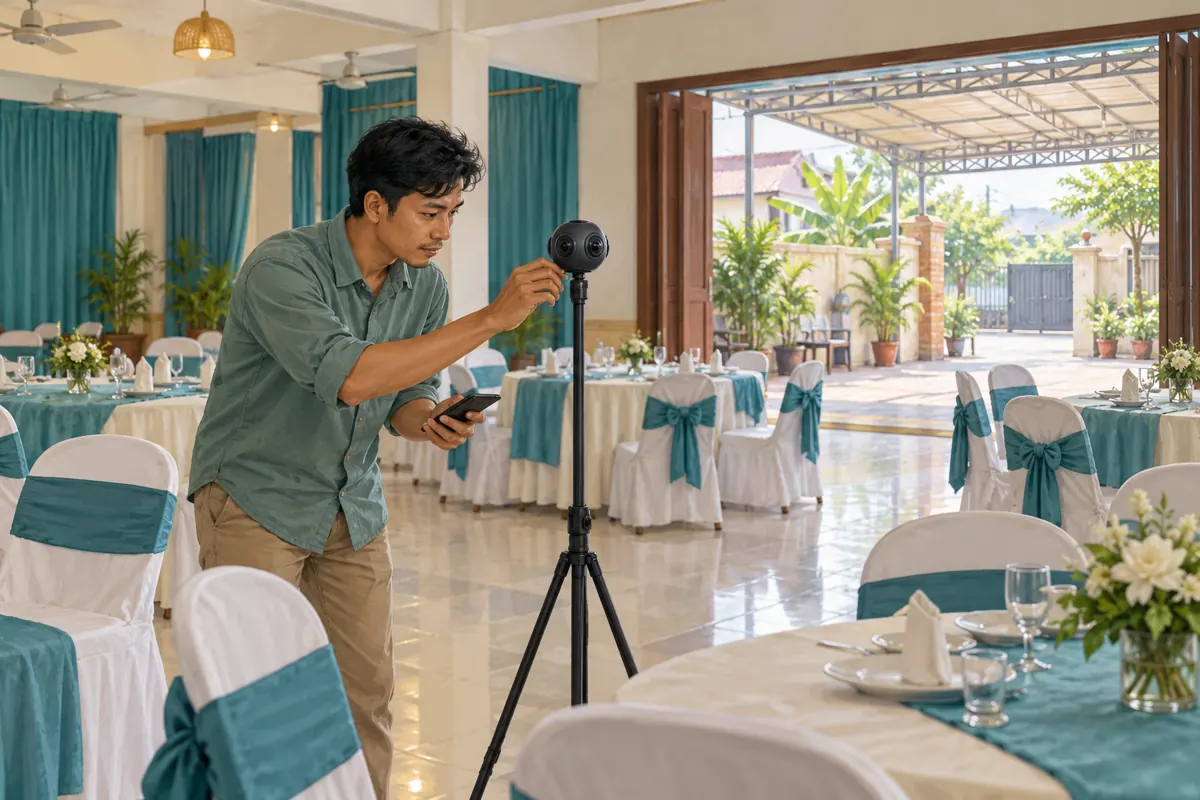
A prospective customer sees your rental hall’s decorated stage, but still cannot work out where guests enter or how the courtyard connects to the seating area. A YouTube 360° tour can help answer those spatial questions when it is filmed and checked carefully. The useful outcome is a clearer conversation about suitability, followed by a site visit or a properly scoped quotation. For Cambodian venue owners considering social media promotion or an SMM panel, the first task is therefore to verify the tour itself. This workflow explains what to record, how to test the viewing experience, and where promotional service claims stop being useful evidence.
1. Decide which rental question needs a panoramic answer
Start with a question customers repeatedly ask about the relationship between spaces. Can someone standing at the entrance see the presentation area? Is the covered courtyard connected directly to the hall? Where would a registration table sit relative to the guest route? These are stronger reasons to make a spherical tour than simply wanting a more impressive promotional video.
In a hypothetical Phnom Penh venue, customers booking small training events keep asking whether refreshments would interrupt the main session. The owner plans a tour showing the hall, connecting doorway and covered refreshment area. That is a defined communication task. A close-up of a chair, a current price quotation or a discussion about available dates would need other material. Choose ordinary video or photographs when they answer the question more directly; a 360° format is an option, not a requirement for effective promotion.
2. Separate looking around from moving through a building
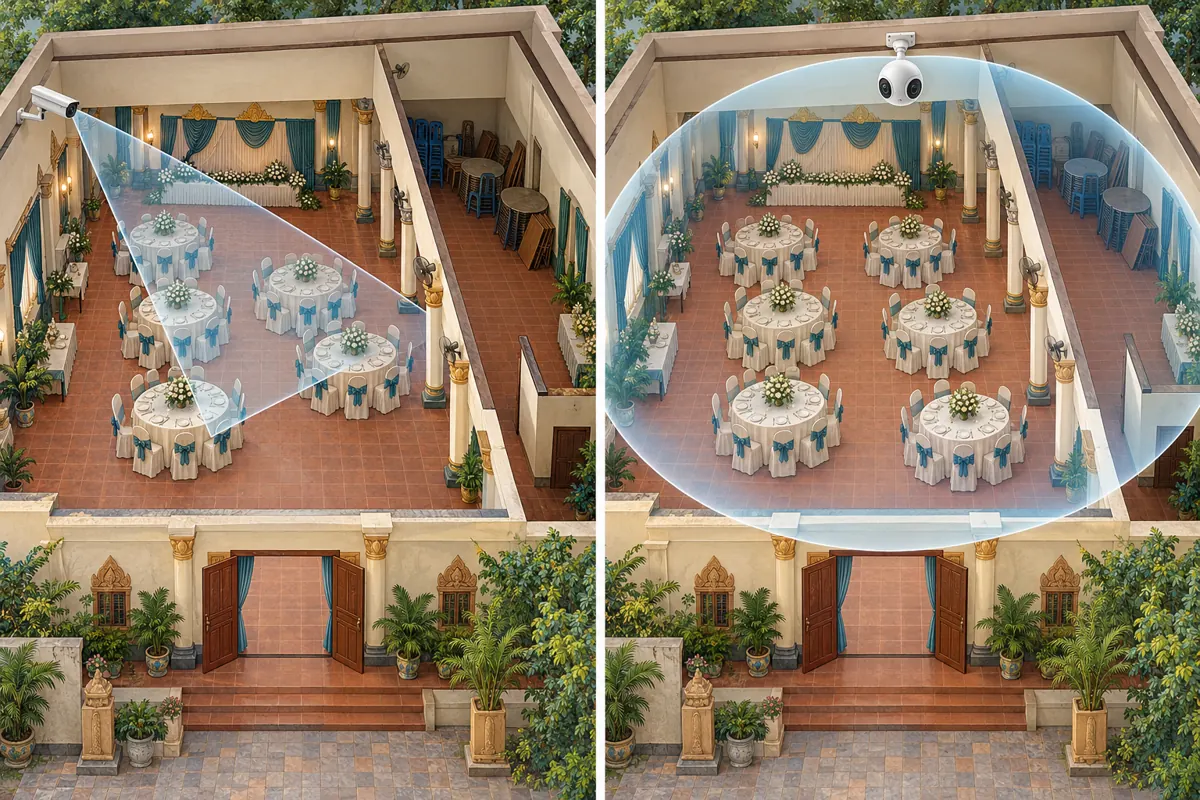
A spherical recording lets the viewer inspect different directions from the camera’s recorded position. It does not automatically create a navigable property model where customers can walk into any room. Explain this distinction in the promotional copy so people understand what the tour offers. A sequence of viewpoints can show several areas, but each viewpoint still needs enough context to make its location understandable.
Also distinguish a genuine spherical video from an ordinary recording made while someone turns a phone in a circle. In the ordinary recording, the camera operator chooses the direction shown at each moment. For a practical venue tour, plan where customers should be able to look independently. Avoid claiming that the footage proves room dimensions, seating capacity or accessibility. Perspective can be misleading, and those details require separate measurements, an appropriate layout plan and confirmation of the customer’s requirements.
3. Prepare the whole room, including behind the camera
Inspect every direction from each proposed camera position before recording. Remove customer booking sheets, personal belongings and notices containing private contact information. Check mirrors and glass for reflections of people or documents. Ask staff who appear in the footage for permission, and arrange filming when a private customer event is not taking place. A spherical camera makes the usual idea of hiding things behind the operator unreliable.
Present a setup you can explain honestly. If flowers, table coverings or extra furniture are hired separately, record that distinction in the accompanying offer information. Do not let a beautifully staged room imply that every visible item belongs to the standard rental package. In Cambodia, a covered outdoor area may be especially relevant to a customer’s event planning, but a sunny recording cannot establish how that space performs during rain. Describe the conditions actually filmed and discuss weather arrangements separately.
4. Build the tour around stable camera stations
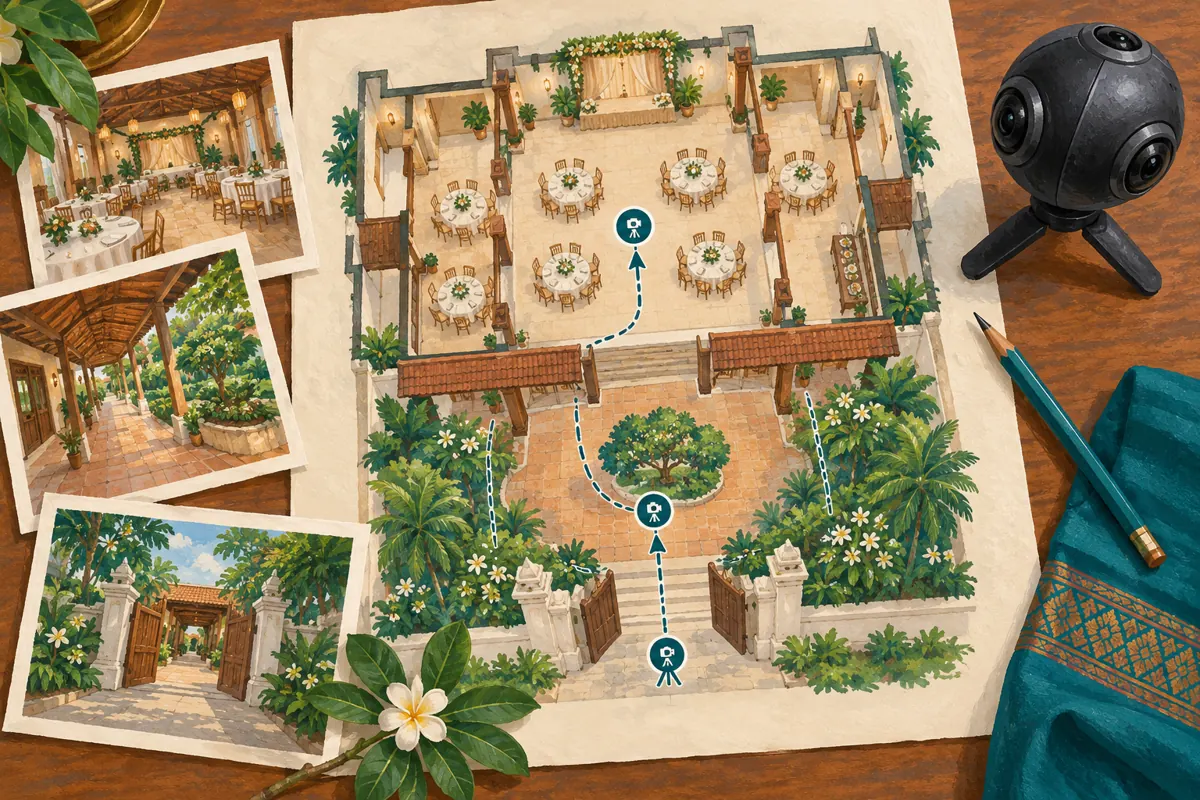
Sketch a simple floor plan and mark a small set of useful recording positions. For the hypothetical training venue, these might be the entrance, the middle of the seating area and the covered refreshment space. Give each position one purpose. At the entrance, show the arrival route. Inside, show the relationship between seating and presentation space. Outside, show the doorway back into the hall.
Stable viewpoints are a sensible starting point because they give viewers time to orient themselves. Avoid rushing through doors while narrating several unrelated details. Keep the camera away from objects that dominate the view and obscure the surroundings. After a short trial recording, inspect table edges, doorframes and people near image joins for distracting distortion. If a feature is difficult to understand, change the position or record a separate conventional detail shot rather than adding a longer explanation over confusing footage.
5. Verify that YouTube recognizes the spherical upload
YouTube’s official upload guidance calls for stitched footage, editing settings that match the VR source, and appropriate preparation of the file for spherical playback. Give those requirements to the camera operator or editor before the final export. Merely adding “360°” to a title does not prepare the file. Keep a note of the export used so a failed test can be traced to a specific version.
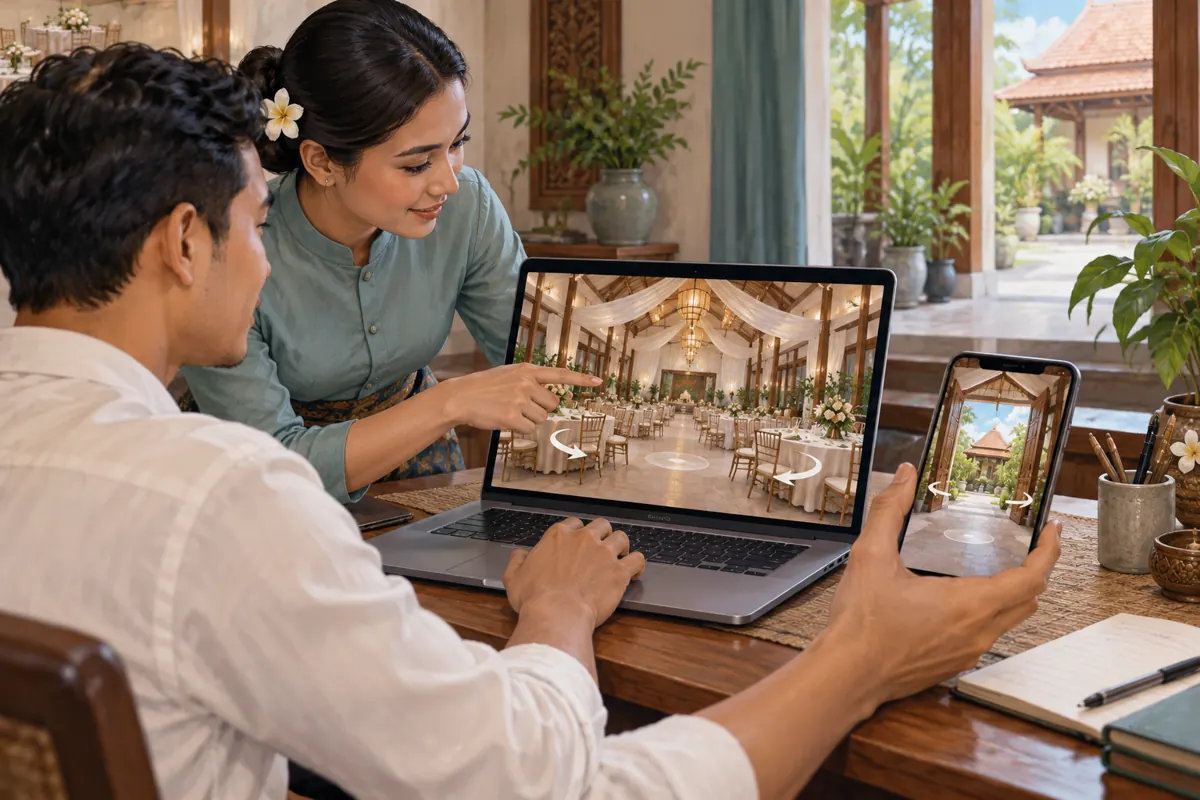
YouTube says spherical playback may take up to an hour to become available. On a computer, check for the pan control and test whether dragging the picture or using the WASD keys changes the viewing direction. The official guide identifies supported desktop browsers and recommends the latest YouTube app for mobile viewing. If the result remains a flat, distorted image, pause promotion and investigate the export. The supporting upload guide is listed in the sources.
6. Test whether a customer can answer the intended question
A working pan control is only the technical pass. Ask a colleague who did not plan the recording to open the intended sharing link and find the connecting doorway. Do not point it out immediately. Observe whether the colleague recognizes the starting position, understands the transition between viewpoints and can explain where the refreshment area sits. Record the confusion in plain language so the editor knows what needs fixing.
Repeat the exercise on a phone. YouTube explains that viewing quality varies with factors including connection speed, screen size and the original upload. Check whether important physical features remain understandable under the viewing conditions you actually test. Do not promise that all customers will receive the same image quality. If the tour needs perfect playback to communicate a crucial detail, provide a simple photograph or written explanation alongside it. A customer should not need to troubleshoot video just to ask a useful booking question.
7. Give the tour a clear, locally useful enquiry route
Use a title that identifies the venue and the areas shown without overstating completeness. A hypothetical title could be “Training Hall and Covered Courtyard: 360° Viewing Tour.” In the description, explain that viewers can look around, identify the filmed layout and state when it was recorded. Write customer-facing guidance in the language your customers use, including clear Khmer wording where appropriate, with any necessary English event terminology checked for meaning.
Then tell interested customers what information to send: their preferred date, event type, expected attendance and any setup requirements. Explain that availability and package contents are confirmed through a quotation or booking process. Keep the initial enquiry manageable; there is no need to request identity documents or payment evidence merely to discuss suitability. If an assistant handles messages, give them the same layout notes so they can distinguish what the video shows from what the venue has actually agreed to supply.
8. Review SMM services against the actual promotion task
The supplied catalogue includes the exact public name “YouTube Social Shares from Twitter.” Its wording identifies a sharing service associated with YouTube, but the brief supplies no supporting description. It does not establish how sharing happens, who sees a link, whether recipients are in Cambodia or whether anyone is seeking event space. Treat the name as a prompt for questions, not as verified audience information or a recommendation.
Before spending, ask what action is delivered and whether the method complies with platform rules. YouTube’s fake engagement policy prohibits artificial increases in engagement and warns that a hired promoter’s actions can affect the channel. Decline methods that inflate metrics artificially. Purchased engagement is not evidence of genuine interest, sales, ad delivery or Cambodian users. If the service cannot demonstrate a suitable, compliant method, leave it out of the campaign. You can still share the tested tour through your own business channels and relevant, permission-based conversations.
9. Measure enquiries that reveal whether the tour helped
Keep a small enquiry log focused on customer questions. Record the tour version shared, the area discussed and whether the person requested a visit or quotation. Ask naturally whether the tour clarified the layout; do not turn every conversation into a survey. Distinguish a request for information from an agreed visit, and distinguish both from a confirmed booking under your normal process.
In a hypothetical review, several people may still ask where refreshments would be served even after receiving the tour. That suggests the doorway or viewpoint transition needs clarification. It does not prove that more views would fix the problem. Likewise, a viewer asking a detailed question is useful feedback but not a completed sale. Keep any promotional delivery records separate from these business observations, and avoid attributing every later booking to the video when customers may also have received referrals or visited previously.
10. Correct common mistakes before promoting the link again
The most common practical mistake is promoting an upload before checking its interactive behavior. Another is recording so much footage that viewers cannot locate the feature they came to inspect. A third is showing a special event setup without explaining which decorations or furniture are optional. Each problem has a direct remedy: test the actual link, simplify the sequence and clarify the offer.
Assign someone to review the tour whenever the room layout, customer entrance or included facilities change. Compare the current venue with what a viewer can see in every direction. If the difference could alter a rental decision, correct the material before reusing it in promotion. Preserve a dated internal note explaining which version staff should share. The aim is to make the tour a dependable starting point for a conversation, with current availability, dimensions and contractual details confirmed through the appropriate booking steps.
Frequently asked questions
Do we need a 360° tour if we already have good venue photographs?
Only if customers need help understanding how areas connect or what surrounds a particular viewpoint. Photographs may already answer questions about finishes, furniture and decoration. Review actual enquiries first. If the recurring problem is unclear pricing or slow replies, address that problem before commissioning another visual asset.
Can viewers confirm room measurements from the tour?
No. Use the tour for orientation and provide verified measurements separately. Camera placement and spherical presentation can affect perceived distances. For a proposed layout, confirm the relevant dimensions and practical requirements directly, and arrange a site visit when the customer's decision depends on physical fit or access.
What should we do if the video opens but viewers cannot look around?
Check whether the link opens the intended upload, whether spherical processing has finished and whether the viewing app or browser is suitable. If the problem persists, ask the editor to review the prepared file against YouTube’s official upload guidance. Hold promotion until the intended interaction works.
Does a panel sharing service demonstrate local rental demand?
No. A service name or delivery record does not establish Cambodian audience origin, genuine attention or booking intent. Assess rental demand through relevant enquiries and your normal booking records. Evaluate any proposed promotional method separately for suitability and platform compliance before deciding whether to use it.
Should the tour include prices and available dates?
Keep frequently changing details in a place your team can maintain reliably, and explain how customers obtain a current quotation. A recorded tour can remain useful after an available date disappears or a package changes. Review visible offer information carefully so old footage does not continue implying outdated terms.
Explore the current service catalogue, create an account, or ask a specific question through support tickets.
- YouTube Help: Upload 180- or 360-degree videos
- YouTube Help: Change the quality of your video
- YouTube Help: Fake engagement policy
Prepared with AI assistance. Illustrations explain the workflow and do not represent customer results.