22/10/2026 12:19
Which Upload Deserves a Bell? YouTube Notifications for Cambodian Lampshade Shops

A lampshade shop can finish several useful videos in one filming session: a collection overview, a fitting close-up, a material comparison and a packing demonstration. Publishing them all as announcements may not match what subscribers need. For Cambodian businesses building a practical YouTube library, the better starting question is which video gives returning viewers a reason to pay attention now. This guide uses a hypothetical Phnom Penh lampshade shop to explain a release workflow, the consequences of YouTube’s notification setting, and the checks to make before considering any SMM-panel service. The examples describe planning decisions, not measured campaign results.
1. Give each finished video a clear job
Start with the customer question, rather than the order in which files finished exporting. A collection overview might help someone choose between woven and fabric shades. A fitting close-up might answer an existing buyer who already knows the model. A packing demonstration could help a café owner understand what arrives in a delivery. All three can be useful, but their usefulness occurs at different moments in the buying conversation.
Write one sentence for each video: who needs it, what it explains and what the viewer should do next. In this hypothetical shop, the overview invites viewers to ask about available materials, while the fitting video asks them to identify their existing holder before requesting compatibility advice. If two videos serve the same person and answer the same question, consider whether both need separate announcements. This editorial check should happen before anyone selects publishing options.
2. Understand the setting’s two linked effects
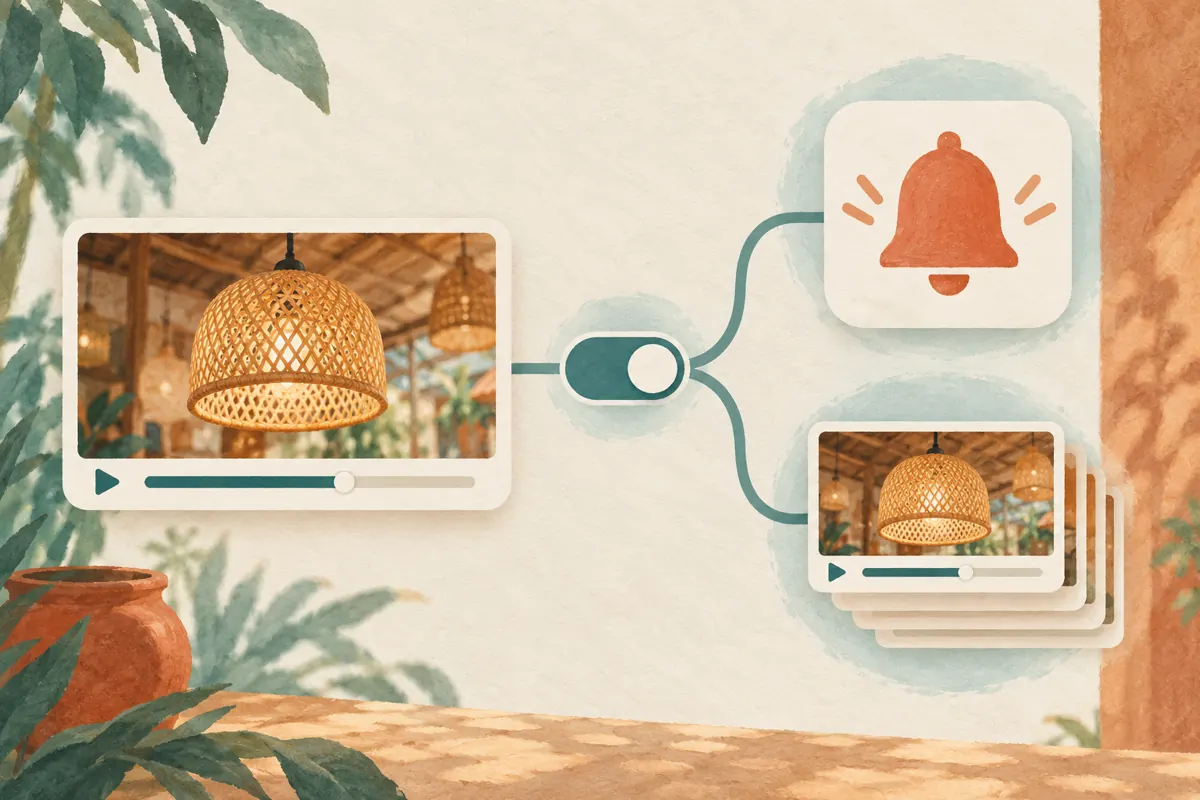
During a desktop upload in YouTube Studio, enter the video details and expand Show More. YouTube’s instructions place the checkbox labelled “Publish to subscriptions feed and notify subscribers” under License. Clearing it prevents subscriber notifications and excludes that upload from subscribers’ Subscriptions feeds. These are linked effects of this control, so it should not be treated as a way to silence the bell while retaining the normal feed appearance. See [YouTube’s upload-notification instructions](https://support.google.com/youtube/answer/7457584?hl=en).
Make the consequence explicit in your internal release note. Instead of writing only “quiet upload,” write that the team has chosen to skip both notification and subscription-feed distribution for that upload. This helps the colleague answering customer questions understand why regular viewers may not have encountered it. Decide separately whether the material is ready for public viewing; a notification choice is not an editorial approval or a privacy review.
3. Sort videos into announcements, references and drafts
Use three working categories. An announcement offers a meaningful update to the audience the channel serves. A reference answers a narrower question and needs an intentional route from the relevant customer conversation. A draft still needs correction or approval. These categories belong in your planning notes; they are not YouTube features. They help the person uploading distinguish a release decision from a file-management task.
In the hypothetical workshop, a finished comparison of shade shapes becomes the main announcement. A close-up explaining one removable ring becomes a reference candidate. A clip showing an unavailable fabric remains a draft until its wording is corrected. A reference video can still deserve subscriber distribution if that fitting question affects many customers. Do not automatically suppress technical material because it looks less attractive. Judge the audience’s need, then decide whether giving up subscription-feed inclusion is acceptable.
4. Separate a filming batch from a publishing batch
YouTube limits viewers to three new-video notifications from a channel within 24 hours, including uploads, live streams and Premieres. It also warns that publishing more than three videos in a short period may pause notifications for 24 hours, even if most uploads are opted out. Its suggested approach is to upload multiple files privately first and publish them at different times. See [YouTube’s notification troubleshooting guidance](https://support.google.com/youtube/answer/7389684?hl=en).
For the shop, a practical release plan should also follow staff capacity. Publish the broad comparison when someone can answer material questions. Release the fitting explanation after the technician has checked it. Hold the packing demonstration until the actual packing method is settled. Record dates and times in Cambodia time so an editor working elsewhere does not interpret “tomorrow morning” differently. Spacing releases creates room for review and response; it does not guarantee notification delivery or better performance.
5. Make the announcement worth opening
Before selecting the main upload, inspect what a returning viewer will learn immediately. A title such as “Compare These Two Shade Shapes Before Choosing” should lead into a visible comparison, rather than a long shop introduction. Show the relevant products together, identify what is included and explain whether the footage shows current stock or a sample. Keep the promise narrow enough that the video can fulfil it without a sales conversation.
For Cambodian customers, match the spoken explanation and supporting wording to the audience actually served. A shop speaking mainly with Khmer-speaking household buyers may need a different presentation from one answering English-language enquiries from hospitality businesses. This does not require changing the website’s language. Ask a colleague to watch the opening on a phone and explain the offer back. If they confuse the shade with a complete electrical fitting, revise the content before promoting it.
6. Give reference videos a deliberate route to viewers
If you choose to skip subscriber distribution for a reference upload, write down how the intended customer will receive it. A staff member might send the fitting explanation when a buyer asks about compatibility. A product information page might point to the material-care demonstration. The destination should match the question closely enough that the viewer understands why the link was offered. Do not assume that simply adding another video to the library completes its distribution plan.
Keep a short staff index containing the video title, its public link, the question it answers and any limitation. For the hypothetical ring demonstration, the limitation might be that it illustrates only the model shown. A staff member should still request the relevant product information before confirming compatibility. Review this index when products change. A useful reference becomes confusing if staff keep sending it after the shop switches fittings or stops supplying the illustrated component.
7. Keep SMM-panel claims separate from notification decisions
The supplied catalogue includes the exact public service name “YouTube Social Shares from Twitter.” Its description is empty, so the title alone provides no basis for confirming its delivery method, audience location, authenticity or suitability. It does not establish a subscriber-notification capability. A shop investigating that listing should ask for clear supporting information rather than treating the name as evidence that it solves a YouTube publishing problem.
YouTube prohibits artificial increases in engagement metrics and says that a hired promoter’s actions can affect the channel. Review methods against its [fake engagement policy](https://support.google.com/youtube/answer/3399767?hl=en) before proceeding. Purchased engagement is not evidence of genuine interest, sales, ad delivery or Cambodian users. If a provider cannot explain a compliant method, leave the service out of the plan. An SMM-panel order record cannot verify that a subscriber received an alert, understood the product or intended to buy it.

8. Review notification evidence without inventing demand
Where sufficient subscriber data exists, YouTube provides a channel-level Subscriber bell notifications card under Analytics and Audience, plus a video-level Bell notifications sent card under Analytics and Reach. Notification click-through rate measures clicks on notifications; it is different from thumbnail impression click-through rate. These cards are not guaranteed to appear for every small channel. The definitions are explained in [YouTube’s subscriber-notification guide](https://support.google.com/youtube/answer/9336507?hl=en).
Keep business evidence in a separate enquiry log. Record the product question, whether the customer supplied enough information for a reply and whether a quote was requested. Ask how they found the video only when it fits the conversation, and preserve an unknown source as unknown. In the hypothetical shop, an enquiry about shade diameter gives staff a concrete next step. A notification click alone does not. Review the two records together without turning an apparent timing relationship into a claim that the upload caused a sale.
9. Troubleshoot a missing alert before repeating promotion
When a colleague reports receiving no alert, first identify the exact video and intended release setting. Check the release note, recent publishing activity and whether the upload was actually meant to notify subscribers. One person’s experience should prompt a focused check, not an immediate conclusion that the channel or promotion failed. Avoid deleting and uploading the same demonstration again merely to attempt another announcement; that also creates confusion about which link staff should use.
Subscriber preferences and device settings can affect notifications. YouTube allows viewers to choose notification levels, and not every upload necessarily produces an alert. Refer an interested viewer to [YouTube’s notification settings guidance](https://support.google.com/youtube/answer/3382248?co=GENIE.Platform%3DAndroid&hl=en) rather than asking them to change everything on their phone. If several reports describe the same problem, document what was checked and consult official troubleshooting. Keep the useful product information accessible through the customer’s existing enquiry route while the notification question is investigated.
10. Make the next release easier to judge
After a release, record one content lesson and one workflow lesson. The content lesson might be that viewers still could not distinguish the top opening from the bottom diameter. The workflow lesson might be that the uploader interpreted “reference” as “unfinished.” These are hypothetical observations, but they illustrate useful review notes: each points to a specific correction. A vague instruction to obtain more engagement gives the next editor much less guidance.
Assign one person to approve the final release decision and another, where staffing permits, to verify the video and destination. For a very small shop, the owner can perform the second check after a break. Keep the process short enough to use consistently: purpose, readiness, distribution choice, release time and enquiry owner. Revisit the classification when the audience changes. A fitting explanation that once served occasional enquiries may become a valuable announcement when the shop introduces a widely requested replacement part.

Frequently asked questions
Should every fitting close-up skip subscriber notifications?
No. Technical detail can be the most useful content on a shop’s channel. If a common fitting problem affects many returning viewers, the close-up may deserve announcement status. Decide from the customer question and the channel’s purpose. A reference classification is a planning aid, not a rule that technical videos should receive less attention.
Can I turn off the alert but keep the upload in the Subscriptions feed?
Not through the combined upload checkbox described here. Clearing it also excludes that upload from the Subscriptions feed. If feed inclusion matters, account for that tradeoff before publishing. Do not brief a colleague that this control changes only the sound or appearance of a notification.
Does this workflow apply unchanged to a public live stream?
No. YouTube’s upload-notification help specifically says public live-stream notifications cannot be disabled; unlisted live streams do not send notifications. Treat a live demonstration as a separate release decision. Prepare its audience, access and timing deliberately instead of assuming the ordinary upload checkbox will provide the same control.
What if my small shop has no notification analytics card?
YouTube says the cards appear when sufficient subscriber data is available. An absent card is not proof that nobody received an alert. Keep the publishing record, assess the video’s clarity and document actual enquiries. Avoid constructing a delivery percentage from guesses or a handful of staff phones.
Can an SMM service compensate for a poorly chosen announcement?
It cannot establish that the right customers understood the video or fix the editorial decision. First improve the explanation and distribution plan. Evaluate any proposed service on its documented method and policy compliance. If those details are missing, spending money would add uncertainty rather than answer why the announcement was ineffective.
Explore the current service catalogue, create an account, or ask a specific question through support tickets.
- YouTube Help: Skip sending upload notifications
- YouTube Help: Fix subscriber notification problems
- YouTube Help: Check subscriber notifications
- YouTube Help: Manage YouTube notifications on Android
- YouTube Help: Fake engagement policy
Prepared with AI assistance. Illustrations explain the workflow and do not represent customer results.