19/10/2026 04:37
Who Handles the Questions? A YouTube Live Moderation Workflow for Cambodian Shops

A live product demonstration can become difficult to follow when the presenter tries to demonstrate an item, read questions and resolve delivery problems at the same time. For Cambodian shops promoting through YouTube Live, assigning responsibility for the conversation is an essential part of preparation. This guide uses a hypothetical Phnom Penh kitchenware shop demonstrating reusable lunch containers. It explains how to route questions, rehearse moderation decisions and keep the session useful. It also gives SMM panel customers a practical boundary: a service listing cannot replace a moderator, establish genuine customer demand or resolve the platform rules governing purchased engagement.
1. Give the demonstration one practical purpose
Start with a question the demonstration can answer visibly. For the hypothetical kitchenware shop, that question might be: how do the two available containers differ in size, opening mechanism and cleaning access? Put both products on the table and identify the details the presenter can demonstrate accurately. Keep unsupported claims about durability or heat retention out of the script.
Write the purpose on the moderator’s preparation sheet. It becomes a guide for deciding which questions deserve an immediate interruption and which can wait. A question about opening the latch belongs beside the latch demonstration. A request about an individual delivery belongs in the shop’s established private support process.
Use the same practical purpose in promotional posts announcing the session. Tell people what they will learn and when to attend, using an explicit Cambodia time reference. Avoid inviting an unlimited troubleshooting session when the team has prepared only a short product comparison.
2. Apply a policy check before considering a panel listing
The supplied catalogue includes the exact public service name “YouTube Live Stream Views + Likes [ Max 5M ] | 100% Concurrent | 15 Minutes”. Its name identifies a listing presented as live-stream views plus likes. The accompanying description is empty, so the title alone cannot establish its delivery method, audience location, authenticity or compliance. Its embedded figures and claims should not be treated as verified performance evidence.
YouTube’s Fake engagement policy prohibits artificially increasing views, likes and other metrics. It also states that a hired promoter’s actions can affect the channel, including through content removal or channel takedown. This makes the method of promotion a decision point before any purchase. If a proposed service artificially inflates engagement, do not use it.
Ask what actual promotional work will happen and whether that work can be reviewed against the platform’s policy. An unclear answer is a reason to stop. Purchased engagement does not establish genuine interest, sales, advertising delivery or Cambodian viewers. For this demonstration, put preparation effort into relevant invitations, understandable product footage and staffed questions.
3. Separate presenting, moderating and checking facts
Assign the presenter responsibility for handling the products and explaining what viewers can see. Assign the moderator responsibility for reading messages, selecting relevant questions and keeping private information out of the spoken presentation. Name someone who can verify uncertain product or delivery details. In a small shop, that final role may belong to the owner, with answers deferred until after the demonstration.
Agree on a quiet interruption signal. A card beside the camera can mean that the presenter should pause at the next natural break. A separate signal can indicate an urgent correction, such as holding the wrong product while describing its dimensions. Rehearse both signals so ordinary questions do not repeatedly interrupt a physical demonstration.
Prepare a small reference sheet containing approved product names, confirmed specifications and the public contact route. Mark unknown information clearly. The moderator should be able to say that a detail requires checking without feeling pressure to improvise an answer.
4. Route messages by the action they require
Use three working categories: public product questions, private customer matters and disruptive messages. These are editorial decisions for the team, not claims about automatic platform classification. The point is to choose the next action quickly while preserving reasonable questions.
In a hypothetical exchange, someone asks whether the smaller container opens with one hand. Queue that question for a close-up demonstration. Another person posts a phone number and asks where their parcel is. Avoid reading the number aloud; direct them to the shop’s published private contact route. A third account repeatedly posts an unrelated payment destination. Treat that as a moderation issue and follow the shop’s prepared response procedure.
Keep ordinary criticism separate from disruption. A message saying that the latch looks awkward may identify a useful demonstration gap. Invite a specific clarification or show the mechanism again. Removing every uncomfortable question would make the session less informative and prevent the team from discovering genuine confusion.

5. Choose chat controls that fit the conversation
YouTube’s Moderate live chat guidance describes slow mode, subscriber-only participation, blocked words and holding potentially inappropriate messages for review. Slow mode limits how frequently an individual can send messages. Subscriber-only chat can require a minimum subscription period. Automated holds still need human judgment; YouTube notes that moderation systems are imperfect.
Choose settings according to a concrete problem. If repeated rapid posting makes questions difficult to follow, consider a posting delay. Before restricting participation to subscribers, consider how that requirement affects a first-time visitor arriving specifically to ask about a product. Review blocked terms carefully so ordinary product vocabulary does not become an accidental obstacle.
Record the starting settings and the reason for each choice. During rehearsal, confirm that the responsible person knows where the relevant controls are. Treat configuration as preparation for human decisions, and leave enough staff attention available to review the conversation.
6. Prepare for Khmer, English and mixed product vocabulary
A Cambodian shop should prepare for the languages its customers actually use. In this hypothetical session, viewers may ask in Khmer while repeating an English product label printed on the packaging. Give the moderator a small vocabulary sheet connecting each spoken product name with the correct physical item. Use simple distinctions such as the smaller container and the taller container when brand or model names are easy to confuse.
Agree which language the presenter will use for the main explanation and how the moderator will handle questions in another language. Summarize the question’s meaning before passing it along. Preserve uncertainty: a viewer asking whether a lid resists splashes has not necessarily asked whether the entire product is leakproof.
For delivery questions, distinguish a general service-area question from a request requiring a full address. Discuss confirmed coverage publicly, then move address-specific checking to the established private route. Do not encourage people to publish phone numbers or detailed locations to receive an answer.
7. Rehearse difficult decisions before going live
Run a short tabletop rehearsal with fictional messages on cards. Include an unclear product question, a repeated question, a complaint, an unsupported technical claim and a message containing invented personal details. Keep these exercises internal; staff should not pose as customers in public chat. Ask the moderator to explain the next action for each card.
Then rehearse the physical handoff. While the presenter opens the lunch container, the moderator selects a question and signals for a pause. Check whether the presenter can hear the summary, identify the correct product and answer without turning away from the camera for an extended search.
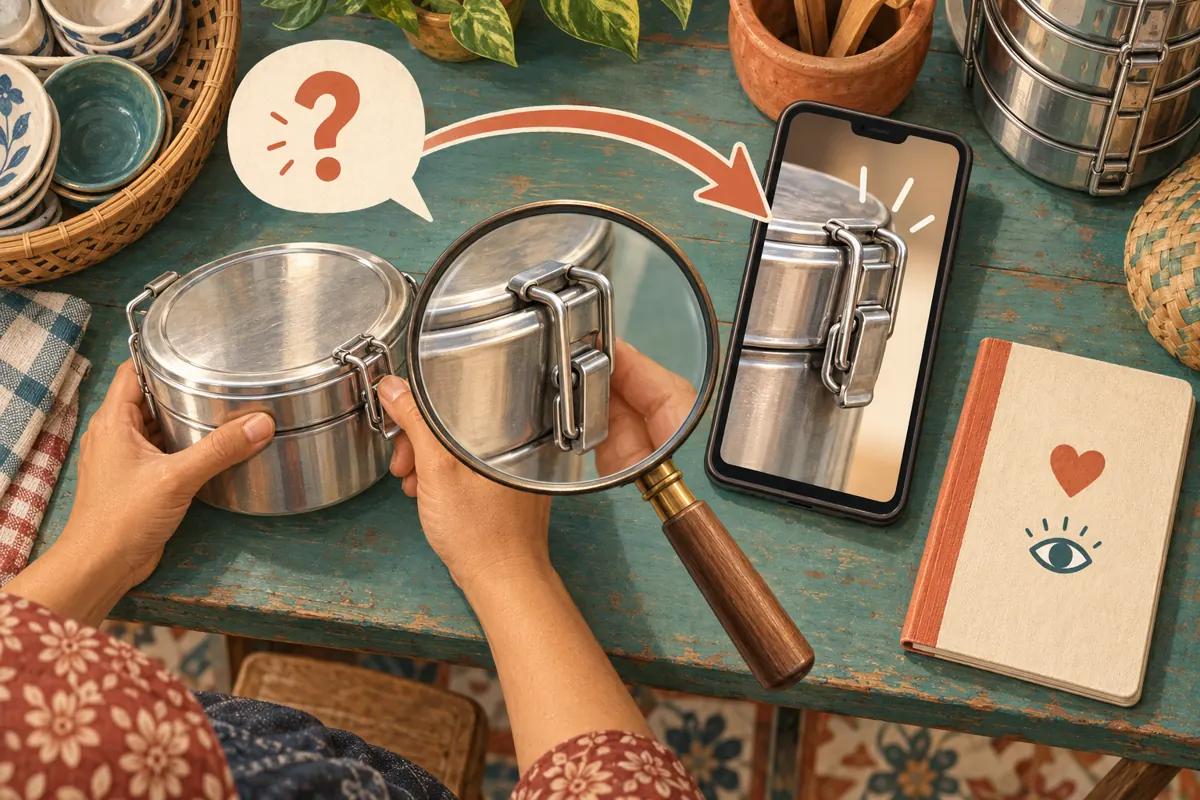
Use a separate device to assess whether the product detail is visible and the spoken explanation understandable. If the latch disappears behind the presenter’s hand, change the camera angle. If nobody knows the answer to a material-care question, mark it for verification. Resolve these practical gaps before increasing promotional activity.

8. Use a repeatable rhythm during the demonstration
Open by explaining what the session covers and how questions will be handled. Say that product questions will be taken between demonstration steps and that individual order problems belong in the shop’s published private support channel. Explain this as a useful process, without promising an immediate answer to every message.
Work through a simple rhythm: demonstrate one feature, pause for related questions, clarify the answer and move to the next feature. The moderator can group repeated questions into a single neutral summary. For example, several questions about capacity may justify showing both containers beside the same familiar object, provided the comparison is clearly illustrative.
When a question cannot be answered, say what needs checking and who will check it. Keep a brief internal note of the topic and any follow-up commitment. Avoid reading usernames unnecessarily or turning an unresolved question into an improvised product promise. A clear admission of uncertainty keeps the demonstration accurate.
9. Respond to pressure with a specific decision
Quiet chat does not require an artificial conversation. Continue the promised demonstration and invite a specific question at a natural break. A presenter can introduce a prepared example honestly: explain that it is a common decision to consider when choosing a container, rather than attributing it to an imaginary viewer.
If messages become difficult to handle, first identify the cause. Repeated product questions may mean an explanation was unclear. Unrelated posting may require moderation. A pile of individual delivery complaints may need a separate support response. Each situation calls for a different action; adding more exposure does not resolve the underlying workload.
Agree in advance when to pause. Examples include an important factual error, a presenter accidentally reading private information, or the moderator becoming unavailable. State the immediate next step calmly. Do not let a concern about apparent popularity pressure the team into continuing a conversation it can no longer manage responsibly.
10. Turn the session into concrete improvements
After the demonstration, review unresolved questions and promised follow-ups first. Assign an owner and a realistic response point for each. Keep the notes focused on the question and the necessary action; avoid copying whole conversations containing personal information into a general marketing document.
Next, identify the product details that needed repeated explanation. In the hypothetical shop, several latch questions might justify a closer camera position or a separate short demonstration. A confusing size comparison might require a better reference object. These are specific content improvements the team can make without claiming that a larger visible counter proves success.
Keep any SMM service records separate from customer inquiries and confirmed transactions. A delivery record describes a service event; it cannot establish why a person bought something. For the next live session, choose one operational improvement and one explanation to strengthen. Check whether the team carries them out before expanding the format.
Frequently asked questions
Can a shop run this workflow with only one person?
Yes, if the format matches the available attention. Use short demonstration steps and planned pauses to read questions. Keep approved facts within reach and defer individual support matters. If handling the product safely or explaining it accurately requires full attention, recruit a moderator or record the demonstration first and handle questions separately.
Should the moderator remove a comment saying the product is expensive?
A price objection alone can be a reasonable customer concern. Answer with confirmed information about what is included and who the product may suit. Avoid arguing about the viewer’s budget. Apply the shop’s moderation rules to abusive or disruptive conduct consistently, while preserving useful disagreement and questions about value.
What should the presenter do when someone asks for an unverified guarantee?
State the limit of what the shop can currently confirm. Showing a container’s latch does not establish a guarantee against leakage, damage or long-term wear. Identify the specification or written policy that needs checking, assign that follow-up and avoid repeating the requested guarantee as if it were already a product fact.
How should a shop judge a session that produces questions but no immediate sales?
Review whether the questions were answered accurately, whether any promised follow-up happened and which purchase uncertainties remain. Questions can reveal confusion without proving buying intent. Record confirmed inquiries and transactions separately, and avoid attributing later sales to the livestream unless there is a reasonable basis for that connection.
Explore the current service catalogue, create an account, or ask a specific question through support tickets.
Prepared with AI assistance. Illustrations explain the workflow and do not represent customer results.